-
Step 1: Fix Paper Mate Pens That Won't Write
-
Step 2: Use Paper Mate Flair Point Pens for the Jobs That Matter
-
Step 3: Decide Where to Put Highlighters (and How to Keep Them Alive)
-
Step 4: Know Whether You Need a Label Printer or a Sublimation Printer
-
Step 5: Track What You Actually Use
-
Common Mistakes to Avoid
If you manage office supplies for more than 20 people, you've seen the same problems I have: a box of Paper Mate pens where a third don't write, Flair point pens scattered everywhere but never where you need them, highlighters with missing caps drying out in desk drawers, and someone—there's always someone—asking whether we should buy a sublimation printer.
I've been the procurement manager at a 120-person marketing agency for six years, managing a $90,000 annual operating supply budget. I've documented every order in our cost tracking system since 2019, and I've made most of the mistakes you're probably about to make.
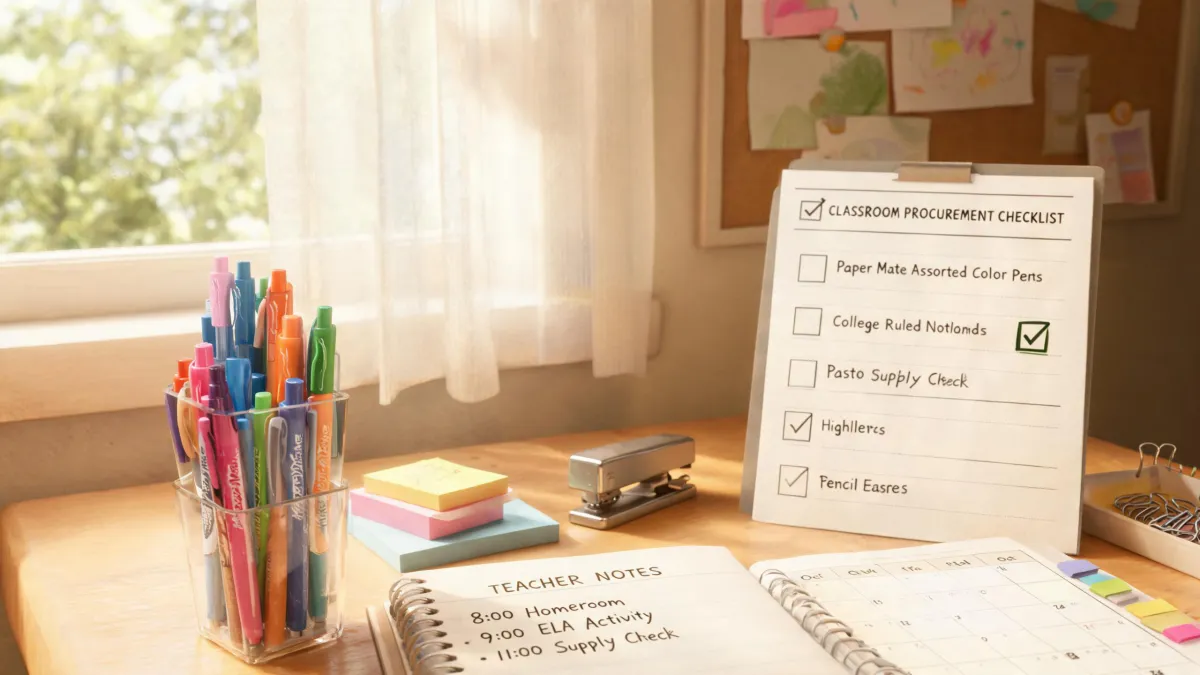
So here's my checklist. It's the exact process I run when our writing supplies start acting up. Five steps, 30 minutes of work, and it'll save you from wasting money on pens that can be fixed, highlighters that evaporate, and printers nobody should have bought.
Step 1: Fix Paper Mate Pens That Won't Write
The moment someone drops a dead Paper Mate pen on your desk, your instinct is to reach for a replacement. Restraint, friend. Replacement pens cost real money when you're ordering boxes of 60.
Here's what to do first:
- Scribble on rough paper. I'd estimate 30% of "dead" pens just have dried ink on the ball. Grab cardboard or a paper bag and scribble for 10-15 seconds—or 20 if the pen's been sitting a while. Watch how many come back to life.
- Clean the tip. Lint and dust can jam the ball. Wipe with a tissue, or better yet, use a cotton swab with rubbing alcohol. This resolves another 10-15% of problem pens.
- Check the ink level. If the barrel is translucent and you can see the ink running on empty, stop. It's done. No amount of scribbling will fix physics.
- Try the warm water trick. Did the pen sit in a cold storage room all winter? The ink thickens. Run the tip under warm (not hot) water for 5 seconds, dry it, and test. This works more often than it should, which is to say it's saved me from reordering at least twice.
Why does this matter? Because bulk pricing on Paper Mate pens lands around $0.40 to $0.90 per unit depending on the series. If your office tosses 50 pens a month and even a third are fixable, you're burning $120-200 a year on nothing.
Step 2: Use Paper Mate Flair Point Pens for the Jobs That Matter
Look, I like Flair pens as much as the next person. They're smooth, they come in great colors, and they make your signature look better. But here's the thing—Flair pens are felt-tip markers, not general-purpose ballpoints. They shine at color-coding, creative work, underlining documents, and any task where line quality matters.
What I mean is: if you put Flair pens at every desk and tell people to use them for daily note-taking, they'll be empty in a week. They dry out faster, they cost 2-3x more than a standard ballpoint, and they're not built for long writing sessions.
Our procurement policy, after six years of tracking invoices:
- Paper Mate InkJoy ballpoints for general daily use—affordable and reliable
- Paper Mate Flair point pens for team leads, designers, and legal—people who color-code or need precise linework
- Flair 12-color packs for anyone doing serious document review or creative work
The question isn't "which pen is the best?" It's "what do I actually need this pen to do?" When the person asking is a designer creating client decks, a $3 Flair pen is a no-brainer. When it's an intern taking notes, the $0.60 InkJoy is the right call.
Step 3: Decide Where to Put Highlighters (and How to Keep Them Alive)
"Where to put highlighter?" sounds like a non-question. But I'm telling you, from actual procurement data: highlighters are the most wasted writing supply in a modern office. They dry out, they get taken home, they vanish into the void.
I don't have hard data on industry-wide highlighter loss rates, but tracking our own inventory from 2020 to 2023 showed we were losing 30-40% of our highlighters annually to evaporation and misplacement. That's $50-80 in write-offs on an item that should last for years—or rather, it would last for years if people treated them properly.
What actually works:
- One designated home base. Pick one visible, labeled location. A caddy by the printer, a cup at the front desk, whatever—as long as it's specific. "The supply closet" is not a location when nobody can find anything in there.
- Check the caps when you restock. We once bought a bulk batch from a discount supplier where the caps didn't seal. Every single highlighter dried out within three months. That was a $120 lesson in checking quality before committing to a cheaper vendor.
- Deploy sets where the work happens. If the accounting team prints monthly reports and marks them up, give accounting their own set. If legal reviews contracts, legal gets a set. The cost of a few extra highlighters is lower than the cost of people wandering around hunting for one.
Put another way: the best storage system copies how people actually work. If someone has to walk 50 steps to grab a highlighter during a call, they'll just use a pen instead. Then the highlighter sits unused for months until it dries out. Sound familiar?
Step 4: Know Whether You Need a Label Printer or a Sublimation Printer
Now here's where things get interesting. You came here for pens, and I'm telling you about printers. But from a budget perspective, they're related—because the office supply budget covers both, and I've watched too many companies throw money at the wrong equipment.
Label printer. If your office ships packages, manages inventory, or organizes physical files, a label printer is a genuine productivity tool. A basic thermal label printer runs $150-300, and thermal labels are cheap. We bought one for our operations team in Q2 2024 and it eliminated about 10 hours of manual handwriting per month. Do the math: at $25 per hour of staff time, that's $250 monthly saved for a one-time $200 purchase. Payback in the first month.
Sublimation printer. This is a specialty device that transfers designs onto mugs, shirts, mousepads, and other coated surfaces. It's for merchandise production, not office operations. Unless you're running a promo products company or a print shop, you almost certainly do not need one.
In Q3 2024, our CEO came back from a conference, inspired, and asked about buying a sublimation printer so we could make branded mugs for clients. The proposed unit was $600, plus specialized ink, blank mugs, and heat transfer equipment. Total setup was probably $1,200-1,500. When I asked who'd operate it, where we'd store the blanks, and how many mugs we actually needed per month, the answers were "nobody knows," "unclear," and "maybe 20."
Online printers like 48 Hour Print handle branded merchandise—business cards, brochures, flyers, even custom mugs—faster and cheaper than buying production equipment. The value isn't just the speed; it's the certainty. For event materials, knowing your deadline will be met is worth more than a lower price with "estimated" delivery. Unless you're producing hundreds of items monthly, buying a sublimation printer is pure vanity.
Total cost of ownership is the framework here: base price, setup fees, supplies, maintenance, and the cost of space it takes up. The lowest upfront quote often isn't the lowest total cost.
Step 5: Track What You Actually Use
When I audited our 2023 writing supply spend, the results were humbling. 22% of our budget went to products that were either lost, dried out, or over-ordered. Looking back, I should have set up usage tracking from day one. At the time, I trusted the vendor's sales rep who said "these quantities are standard for a company your size." They weren't.
What I do now, and what I'd recommend you start doing this quarter:
- Track what you issue, not just what you buy. If you purchase 100 pens in January but only issued 60 by April, the gap is your leak.
- Record defect rates. We had one batch of pens with a 15% defect rate. Because I had the data, the supplier gave us a full credit. Without the data, I'd have just quietly ordered more and eaten the cost.
- Set explicit reorder points. When the highlighter caddy drops below half full, reorder. When the Flair pen inventory gets below 10 working units, reorder. Don't wait for someone to complain.
Had a moment recently where our Flair 12-packs were down to zero and the quarterly order wasn't scheduled for another three weeks. I had maybe two hours to decide: pay $25 for expedited shipping or make the design team wait. Normally I'd compare vendors, but with the time pressure I went with our standard supplier and paid the rush fee. In hindsight, I should have built a two-week buffer stock for critical items after the last time this happened. And I finally did—but it took two incidents to make it a policy.
Common Mistakes to Avoid
Before you go reorganize your supply cabinet, a few warnings from my cost-tracking spreadsheet:
- Don't chase the absolute cheapest pen. We tested a house-brand ballpoint once at $0.20 per unit. The defect rate was close to 20%—skipping ink, broken clips, inconsistent line width. The "savings" disappeared when we factored in reorders and annoyed staff. That's the deal-breaker: cheap pens cost you morale and time, not just money.
- Don't overstock on a "deal." Pens and highlighters have a shelf life. Ink dries. When you buy 12 boxes because they're 30% off, you'll likely throw away a third of them. A discount doesn't matter if the product expires in your cabinet.
- Don't assume every office needs the same supplies. We're a marketing agency, so Flair pens and label printers earn their keep. If you're a law firm or a clinic, your ratios will be different. My experience is based on about 6 years in a mid-size creative services company—if your context differs, adjust accordingly.
Bottom line: fix Paper Mate pens that won't write before you dispose of them. Use Paper Mate Flair point pens selectively, not universally. Put highlighters in one deliberate place that matches your team's workflow. Buy a label printer if you need one, skip the sublimation printer unless you're literally in the merch business. And track what you actually use so next year's budget is based on reality rather than hope.
That's the checklist. Steal it, adjust it, and save yourself the waste I went through before I figured this all out.