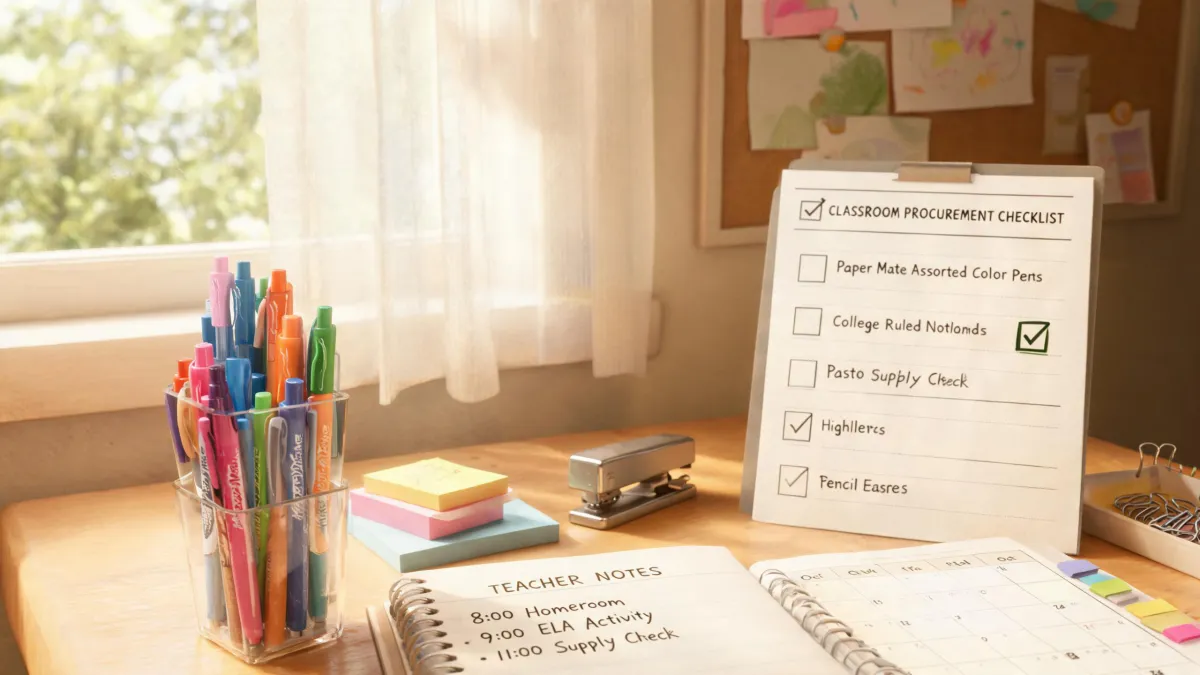
There's no such thing as a perfect office supply order. What works for a 10-person design studio is wrong for a 200-person medical billing office. And what works for the accounting team might not work for facilities. I learned this the hard way while managing purchasing for a mid-sized company for five years. It took me around 150 orders to realize that the 'best' product is the one your office actually uses.
So this is not a list of 'must-have items.' This is a set of scenarios. Find the one that matches your situation, and the decision becomes easier.
Start With the Pen, Not the Brand
When I search the supply catalog for 'paper-mate', I get dozens of results: ballpoints, gel pens, felt tips, mechanical pencils. The first lesson I learned as an admin buyer is that 'paper-mate' is a category, not a single product. You need to match the pen to the task.
Scenario 1: Everyday signing and forms
If your team fills out labels, signs invoices, and writes in planners all day, you probably want a smooth ballpoint or gel pen. In my experience, Paper Mate InkJoy pens get used because they're comfortable and don't fight you on cheap paper. They're not expensive enough to feel precious, which means people actually take them out of the drawer. Counterintuitive as it sounds, a slightly boring pen is more likely to get used than a premium one. The nice ones end up hidden in someone's desk.
Scenario 2: The Paper Mate medium Flair for review and color-coding
If reviewers, editors, or compliance staff are marking up contracts all afternoon, the Paper Mate medium Flair is the one I order. It is a felt tip pen, not a ballpoint, so it makes a bolder line and skips less when you write quickly. Most people who search for 'paper mate felt tip pens' are picturing this exact style.
What I mean is that the medium Flair sits in a sweet spot: fine enough for margin notes, thick enough that the emphasis actually reads on a copied page. It's probably not the best pen for a checkbook, but it's an excellent pen for marking up documents.
Scenario 3: Shared team rooms and training
For whiteboards and flip charts, the same brand has markers and erasable options. But the scenario is different. If you need visible-from-the-back-room color, you want a larger tip, not a medium Flair. To be fair, I use Flair for my own to-do lists, but I don't pretend it's a poster marker.
How do you know which pen scenario you're in? Look at the last package that ran out. Did people ask for more? Did pens disappear from the shared desk? Did the stack of leftover pens in the supply closet grow? The answers tell you what the office actually uses.
By the way, a quick check of online office supply listings in January 2025 showed a 12-pack of Paper Mate medium Flair around $16–24, and Paper Mate felt tip pens in assorted colors around $14–20. Prices change, so treat that as a starting point, not a quote.
The Calculator Problem: It's Not Always a Calculator
The same scenario logic applies to calculators. Last year, an HR manager asked me for a calculator for the wellness program. I almost ordered a desktop calculator with a paper roll. She actually needed an a1c calculator—the kind that converts average blood glucose to an estimated A1C percentage. That is a web tool, not something you put on an office supply shelf.
Another time, maintenance asked for a cylinder volume calculator. They didn't need a physical machine. They needed a formula and a quick way to compute the volume of a storage tank: V = pi times r squared times h. I bookmarked a free online calculator and sent it to them. Problem solved without purchasing anything.
Here's the scenario split:
- If the request is medical or wellness-related, an a1c calculator is probably an online converter. Check whether the person needs to explain lab results or log glucose numbers.
- If the request is from facilities, shipping, or engineering, a cylinder volume calculator might be a simple online tool or a spreadsheet formula. You don't need to order a $50 calculator.
- If the request is from accounting or inventory, they likely want a physical 12-digit printing calculator that leaves a tape. That's a different product altogether.
How to Set Up an HP Printer to Wi-Fi (When I'm the Unofficial IT Dept)
The phrase I hear most often when a new HP printer shows up is 'how to set up hp printer to wifi.' As the person who orders the equipment, I also end up setting it up before IT gets involved. The answer depends on your situation.
Scenario A: Brand new printer, same network
Download the HP Smart app on your phone. Make sure your phone is connected to your 2.4GHz network—many printers don't see 5GHz networks. Turn on the printer, open the app, choose Set Up a New Printer, and follow the prompts. It sounds obvious, but the biggest mistake I made was having my phone on a different Wi-Fi band than the printer. The app kept looking for a device that was actually right next to me.
Scenario B: Existing printer after a router change
If the printer worked before and stopped after the office got a new router, you don't need to reinstall everything. Press the Wireless button on the printer for a few seconds. Then go to the router and press the WPS button within two minutes. If your router has no WPS button, open HP Smart, choose the printer, select Advanced Settings or Wireless, and reconnect it manually. In one office, I spent 45 minutes on this; it turned out the password had a special character that kept being typed wrong.
Scenario C: No wireless access for the printer
Some printers that say 'wireless' still need a temporary USB cable for the first setup. Plug the printer into the laptop, run HP Smart, and then disconnect and set it to Wi-Fi. To be fair, I usually avoid this because USB setup creates a cable that someone loses. But sometimes it's the fastest path.
What This Taught Me About Vendors (and Myself)
After enough orders, I stopped asking 'what's the price?' first. I started asking what's NOT included? That's a transparency thing. The vendor who lists all fees upfront—even if the total looks higher—usually costs less in the end. I have had a quote that seemed cheap, then the invoice included a 'processing add-on' that made it 30% higher than the more expensive quote.
Ask what's NOT included before you ask what's the price.
One more lesson: I only believed in checking details after I ignored it. My first year, I ordered what I thought were standard Paper Mate felt tip pens. They arrived in the wrong tip size. I also once ordered a case of fine-point Flair because it was a few dollars cheaper. The team that wanted medium Flair didn't complain loudly; they just used them and asked for 'the good pens' next time.
It took me three years and about 150 orders to understand that the best product is the one your office will actually use. That sounds like common sense, but it is easy to chase the lowest line item. The 'cheapest' option isn't cheap if people don't use it or if you pay for rework.
A 10-Second Test for Any Supply Decision
Before you add anything to the cart, run through these three questions:
- What is the actual task? Signing, color-coding, calculating, printing from a new laptop.
- Who is doing the task? The benefits team, the maintenance team, the finance team.
- Has the tool worked for them before? If the office already uses a Paper Mate medium Flair for contract review, don't replace it with a fine-tip marker.
If you are still stuck, ask the person who made the request. It sounds simple, but in an office full of requests, I sometimes forgot that one direct question—'what will you actually do with this?'—would have saved me time, money, and a closet full of unused supplies.
There is no universal answer. There is only the right answer for the scenario you're in—and now you have a way to figure out which scenario that is.